
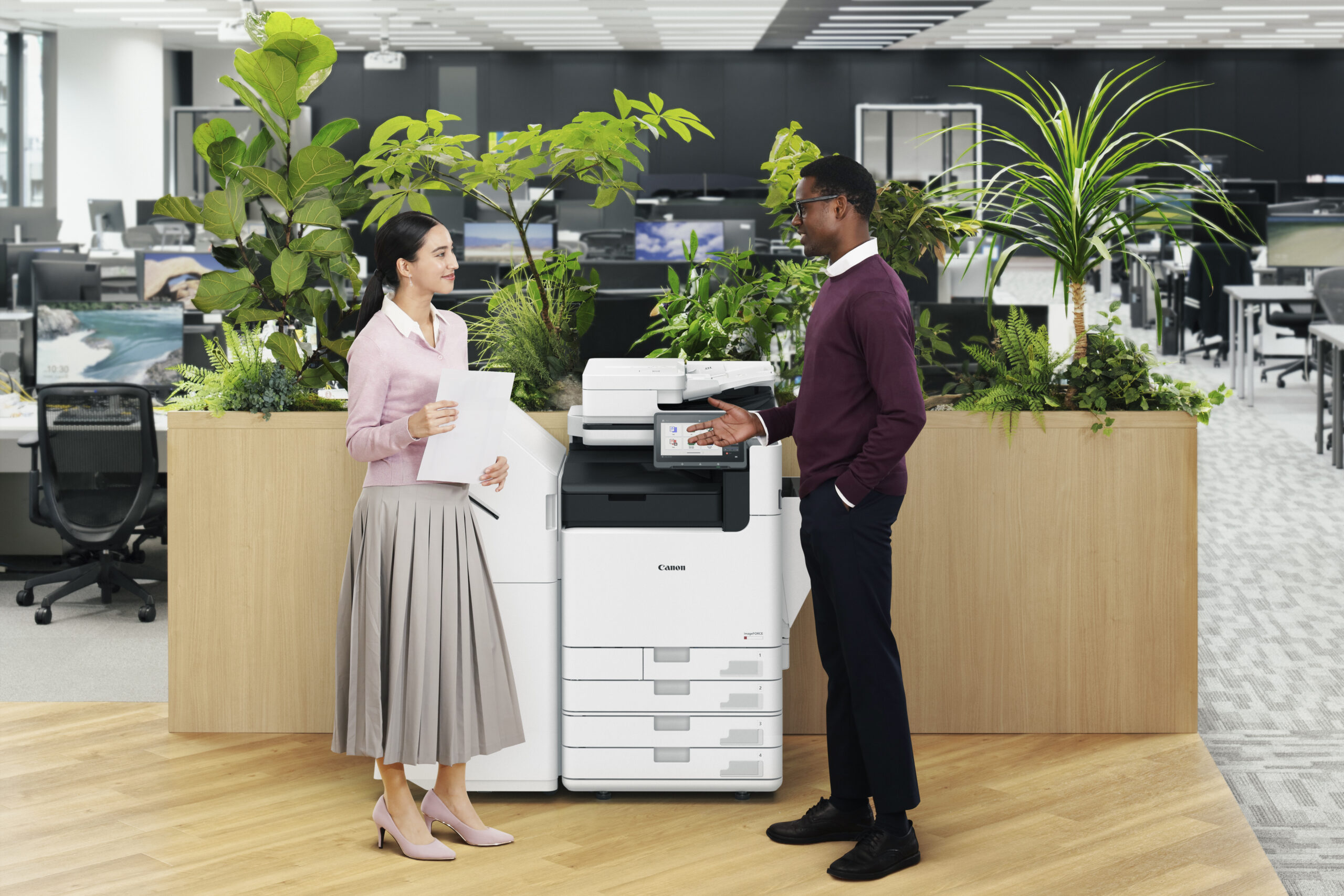
Canon imageFORCE · Market Trends
Why A4 Printers Are Taking Over the Office
A4 is the only growing segment in print hardware. Here’s what’s pushing offices away from big centralized copiers — and where Canon’s new imageFORCE platform lands.
For twenty years the safe recommendation was a large A3 copier in a central spot, and everyone walked to it. That advice is quietly expiring. The A4 segment is now the only part of the print hardware market that’s growing — and A4 color is the only category growing consistently.
That’s not a marketing claim from a brochure. It comes out of IDC’s Document Processes Survey (March 2025), and it lines up with what we see in Central Indiana offices every week: fewer requests for one big machine, more requests for two or three smaller ones that sit closer to the people using them.
Here’s what’s actually driving it, and what it means if your current copier is coming up on a refresh.
What’s driving the shift
Five reasons A4 is winning the office
Growth is happening here — and only here
A4 is the only part of the print hardware market currently expanding, and A4 color is the single category showing consistent growth. A4 monochrome is still the largest segment by volume.
The cost math is simpler
A4 devices carry a lower total cost of ownership than comparable A3 machines. In budget-conscious departments, that difference decides the purchase.
Floor space got expensive
Compact footprints fit the way offices are laid out now — smaller suites, more locations, fewer dedicated copy rooms.
The capability gap closed
Modern A4 devices deliver functionality that used to require an A3 machine. For most offices, the reason to buy a big centralized device simply went away.
Work itself decentralized
Hybrid and remote schedules cut demand for one high-volume device everyone walks to. Distributed printing at the team level replaced it.
Source: Document Processes Survey, IDC, March 2025.
The capability question
“But can an A4 machine really replace our copier?”
This is the objection we hear most, and five years ago it was a fair one. A4 devices were slower, held less paper, finished nothing, and scanned at a crawl. Buying one meant accepting a downgrade.
That’s no longer the trade. Canon’s new A4 flagship runs up to 65 ppm in color and 75 ppm in black and white, holds up to 3,200 sheets, staples and offsets through an optional finisher, and scans two-sided at up to 200 images per minute. Those are numbers that belonged to A3 floor-standing machines a hardware generation ago.
The practical result: for a large share of offices, the reason to buy the bigger box is now limited to one thing — whether you genuinely need to print on 11×17 paper. If you do, the A3 lineup is still the right answer. If you don’t, you’re likely paying for capacity and floor space you stopped using.
The platform
What imageFORCE actually is
imageFORCE is Canon’s premier MFP brand, and its arrival tidies up something that had gotten confusing. Canon had been running multiple office sub-brands in parallel — imageRUNNER ADVANCE DX on the enterprise side, imageCLASS X on the desktop side — which made it hard to talk about a fleet that mixed both.
imageFORCE pulls that into one platform spanning high-volume A3 devices down to desktop A4 units, built on the technology proven in the imageRUNNER ADVANCE DX and imageCLASS X lines. Most models share the Unified Firmware Platform, meaning feature improvements arrive by firmware update rather than by replacing hardware.
- Print Better
Brilliant quality & reliable results
Exceptional image quality, high-speed precision, and color consistency across the fleet.
- Do More
Intuitive workflows for everyday use
A simple, consistent interface, cloud connectivity, and more capability in less space.
- Stay Ahead
Future-ready, security-focused, eco-smart
Comprehensive security features, infrastructure safeguards, and sustainable design.
The lineup
Six model families, and who each one is for
The A4 and desktop side of imageFORCE breaks into six families. The column worth paying attention to is the monthly volume sweet spot — matching that to your actual page count matters far more than matching the speed rating.
| Model family | Type | Speed | Monthly sweet spot | Best for | Replaces |
|---|---|---|---|---|---|
| imageFORCE C611 SeriesC611 / C521 / C431 / C331 | Color MFP | 65 / 55 / 45 / 34 ppm | 1K–10K pages/mo. | Departments and mid-to-large offices that want A3-class color speed in an A4 footprint. | imageRUNNER ADVANCE DX C359 & C568 Series |
| imageFORCE 710 Series710 / 610 / 520 | Black & white MFP | 75 / 65 / 55 ppm | 3K–40K pages/mo. | High-volume mono printing for enterprise and busy mid-size offices. | imageRUNNER ADVANCE DX 719 Series |
| imageFORCE 1643 Series1643 / 1643F / 1643P | Black & white MFP or printer | 45 ppm | 1.5K–20K pages/mo. | Small to mid-size workgroups, front-desk and branch operations. | imageCLASS X MF1643 II Series |
| imageFORCE 1440 Series1440F / 1440P | Black & white MFP or printer | 42 ppm | 750–4K pages/mo. | Small workgroups, hybrid workers and satellite offices. | imageCLASS X MF1440 / LBP1440 |
| imageFORCE C1333 SeriesC1333F / C1333P | Color MFP or printer | 35 ppm | 750–4K pages/mo. | Small workgroups and satellite offices that need color without the floor space. | imageCLASS X C1333 Series |
| imageFORCE C1935PC1935P | Color single-function printer | 35 ppm | 2K–30K pages/mo. | Offices that need A3-size color output from a compact, print-only device. | New to the lineup |
Speeds are letter-size, per Canon published specifications. Configurations and available accessories vary by model.
Want the specification sheets, brochures and e-manuals for these in one place? We built a searchable Canon imageFORCE quick reference that links Canon’s official documentation for every model family.
What to do with this
If your copier is up for renewal this year
- Pull your actual monthly volume before you shop. Most offices we meet are running well under the capacity they’re paying for — often because volume dropped after 2020 and the equipment never got right-sized.
- Count how often you truly print 11×17. If the honest answer is “a few times a month,” that’s a job to hand off, not a reason to lease a floor-standing machine for five years.
- Consider two devices instead of one. Two A4 units on separate floors often cost less to own than a single A3 machine, and a jam on one doesn’t stop the whole office.
- Check what happens to support on your current model. Canon retires products roughly ten years after release, and assisted support ends at that point — worth knowing before you decide to hold on another few years.
Not sure which side of the A3/A4 line you’re on?
We’ll pull your real volume, look at what you’re actually printing, and tell you straight — including when the answer is to keep what you’ve got. Local techs, all-inclusive service, no pressure.
Talk to Canyon Falls See the Canon lineup